
Your medications. Your schedule. Your day.
HoraDose helps you keep track of your doses, your symptoms and your appointments — simply, without making your health complicated.
By default, your health data stays on your device.
Free test version on iPhone and Android.
For you, whether you manage several medications or keep track of a loved one's.
HoraDose at a glance
Five screens from the app, step by step.
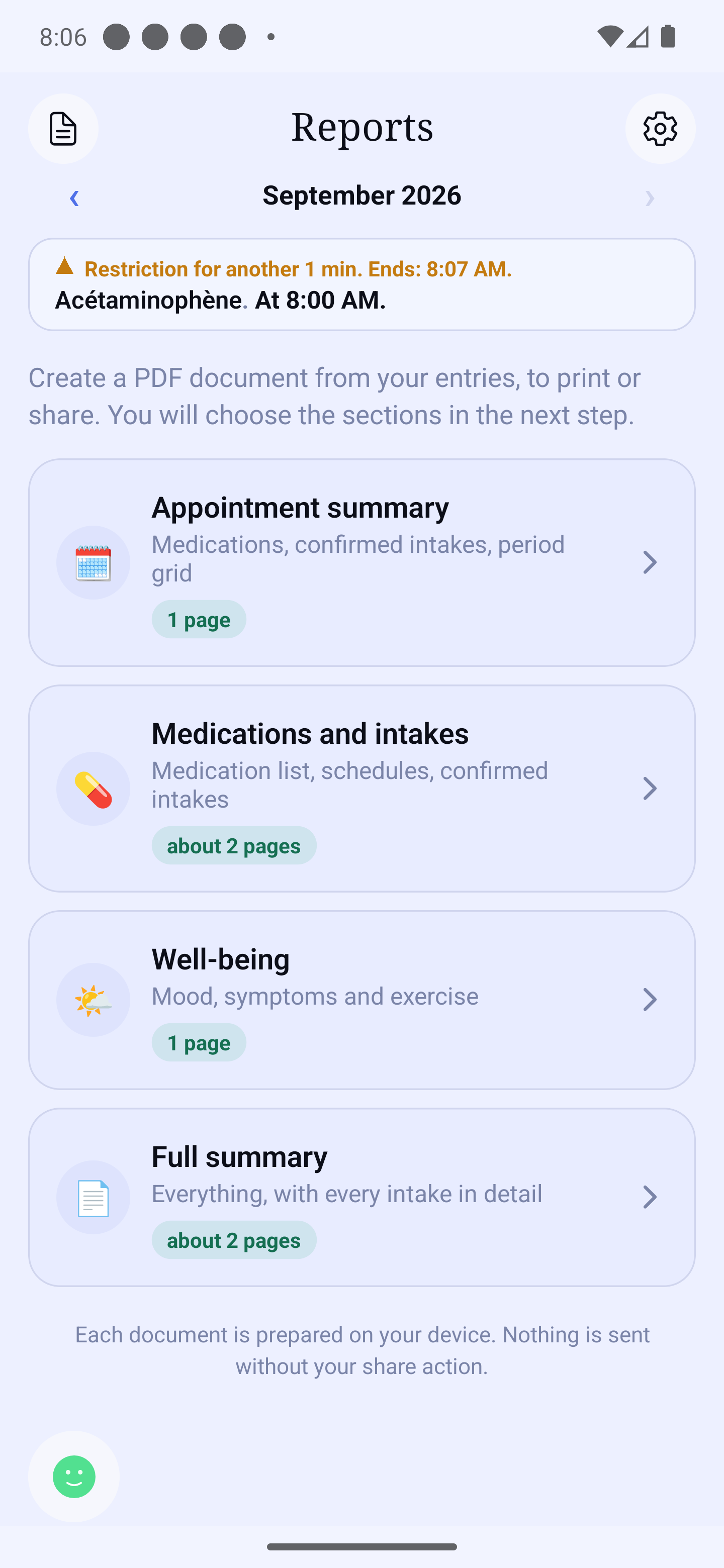
Step 1 of 5
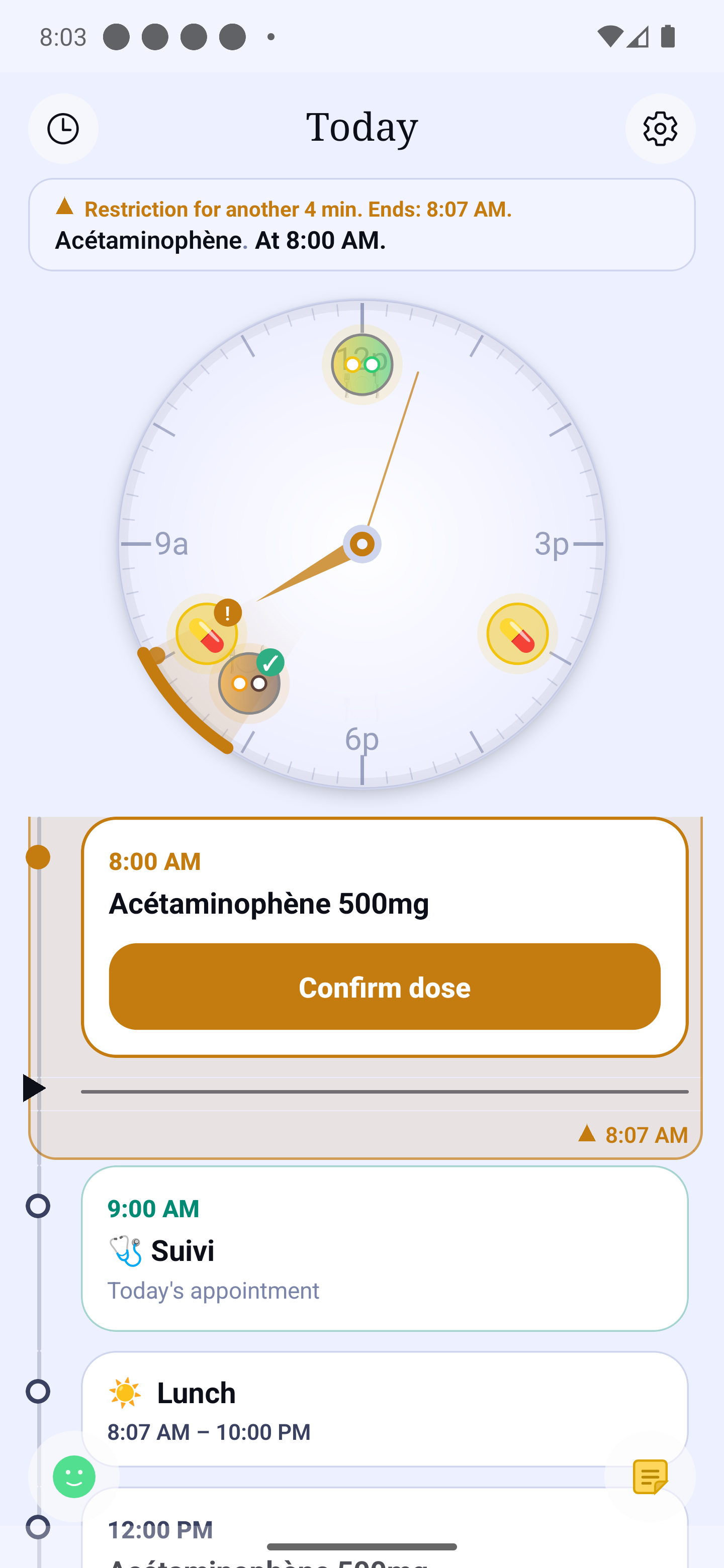
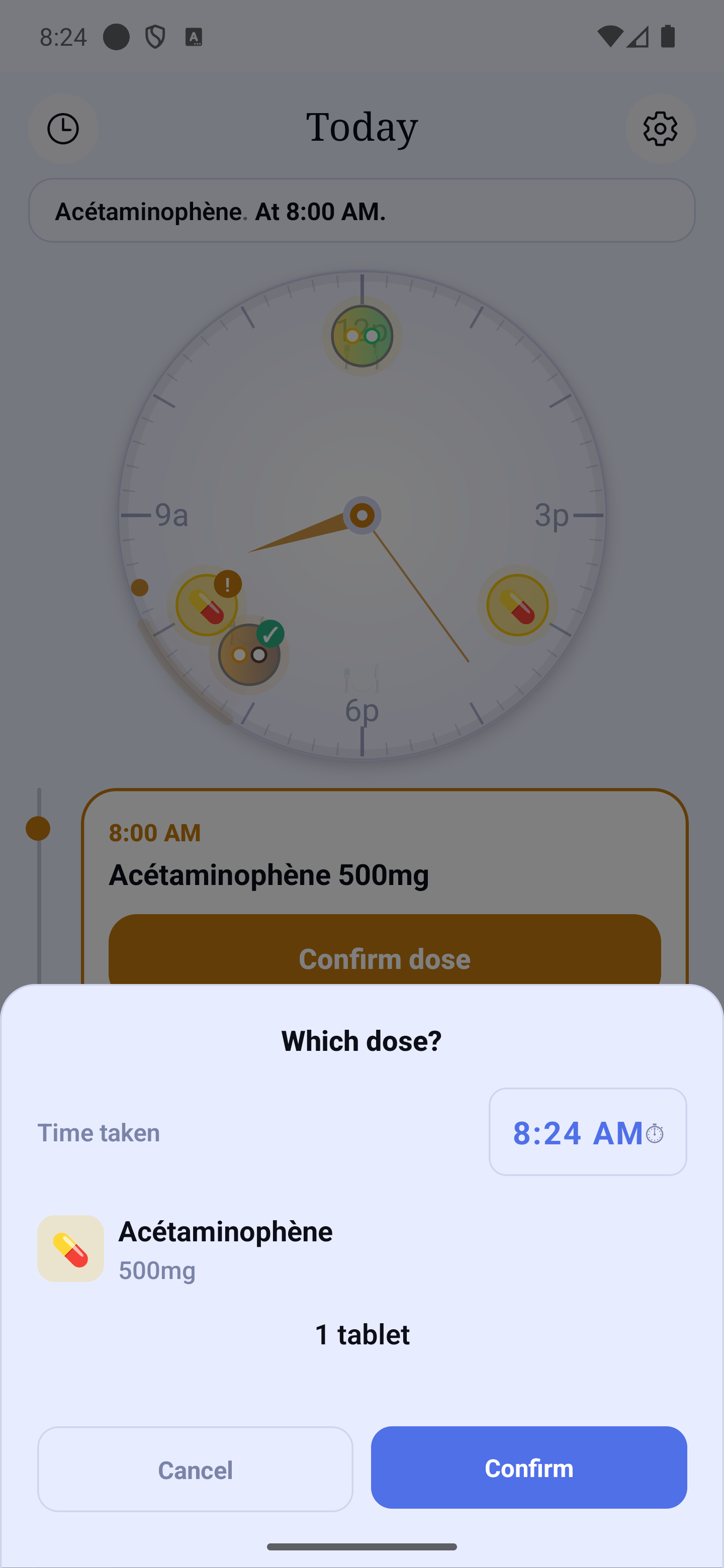
Your day's dial shows each planned dose at its time.
What HoraDose does for you
Keep track of your doses
HoraDose reminds you of the medications you have scheduled, and lets you confirm a dose quickly.
See how your days are going
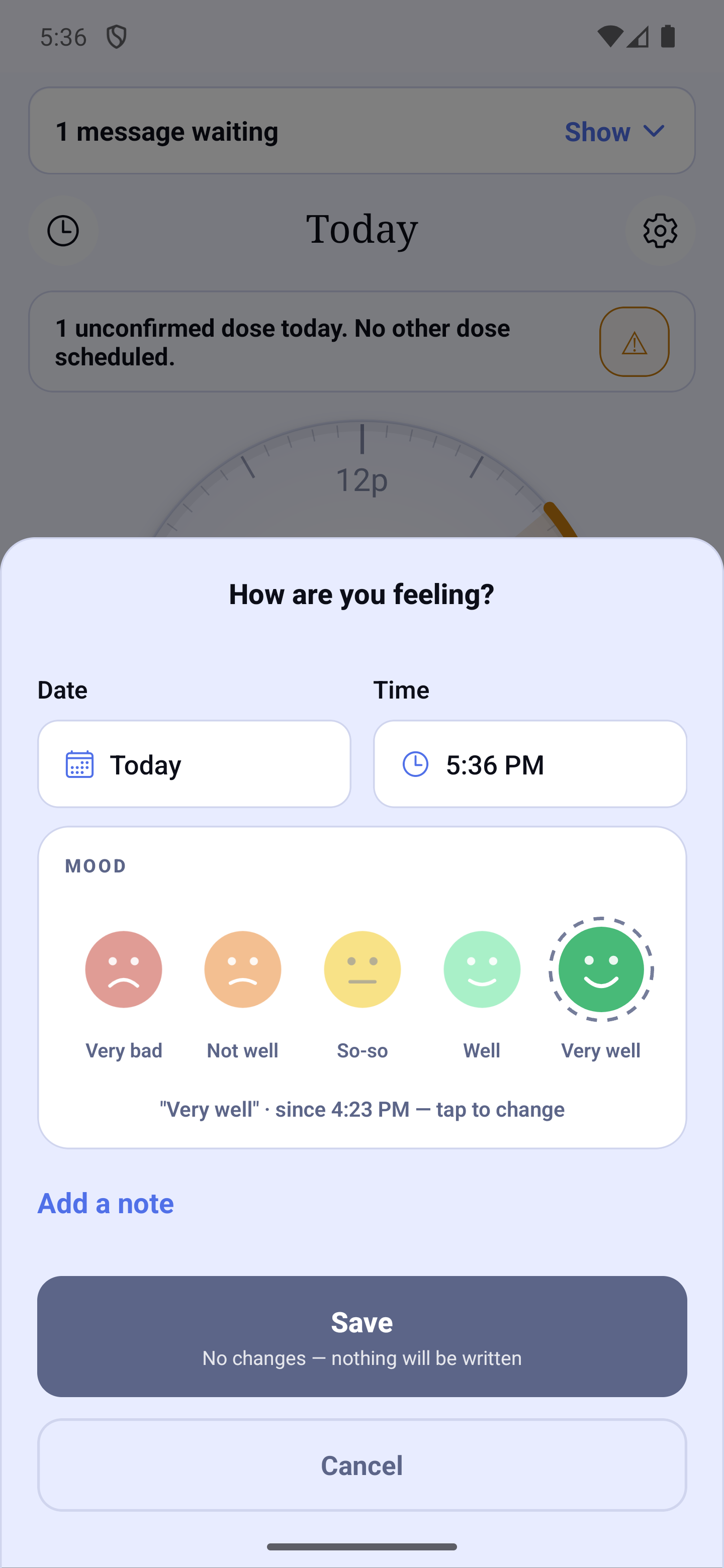
Keep a record of your mood, your symptoms and the events that matter to you.
Keep your data private
Your health data is stored on your device, in an encrypted database.
A day with HoraDose
- 8:00 AM
- Time for your medication.
- 8:03 AM
- Taken ✓
- 11:30 AM
- Quickly note how you are feeling.
- 2:00 PM
- HoraDose reminds you of the next dose.
- Medical appointment
- Review or export your history.
More than a medication reminder
Medications and schedules
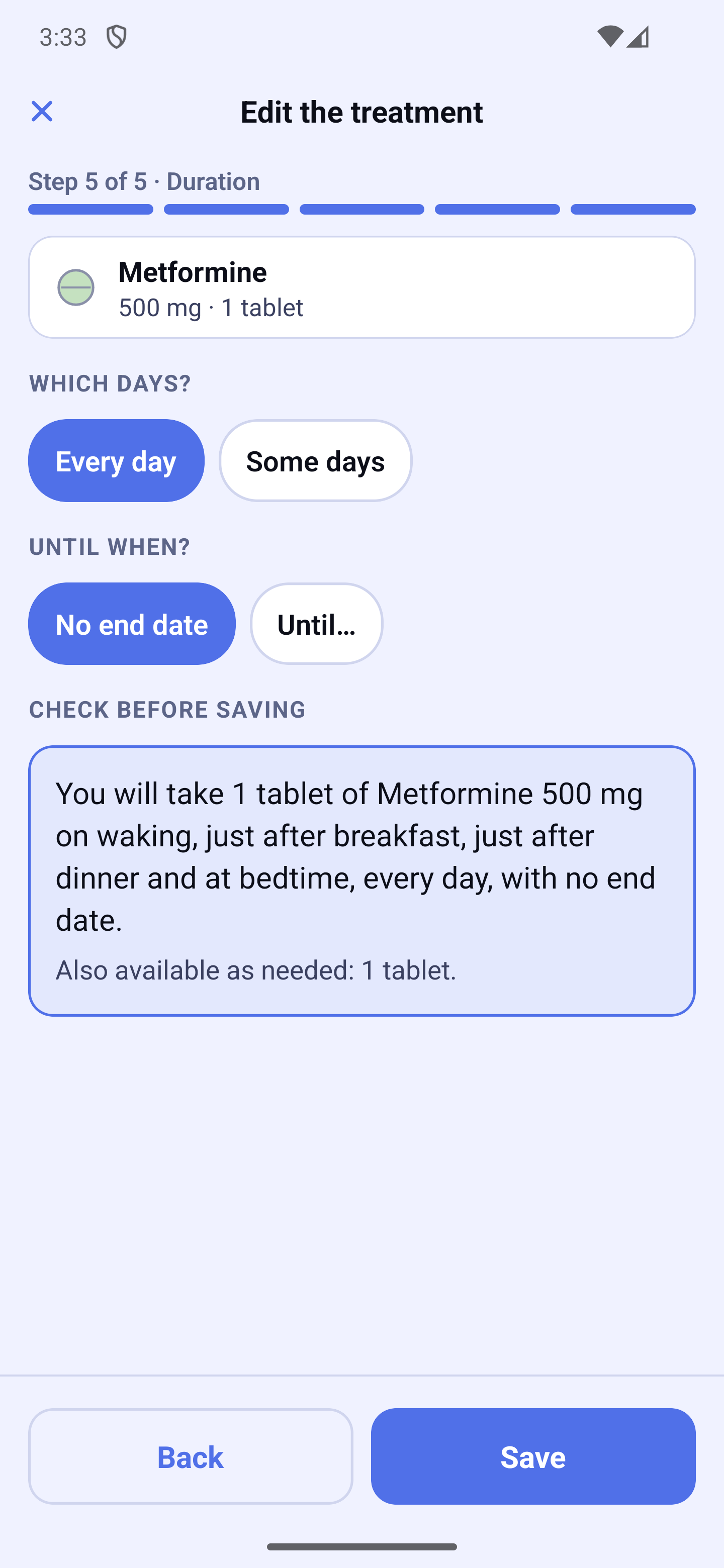
Your medications and their schedules, all in one place.
Dose reminders
A reminder for every dose you schedule.
Symptoms and mood
Note how you are doing, day after day.
Journal
Record the events of your day.
Appointments
Your appointments, with a reminder beforehand.
Reports
To bring to your appointments: print them, or export them as a PDF.
Your medications, in step with your meals
Some medications are taken before, with or after a meal. Others come with a food restriction around the dose. Enter the instruction once, just as your pharmacist gave it to you: HoraDose places the reminders for these medications around your meal times.
Your meal times
Set them once. Eat later on Sundays? Give that day its own time.
The reminder follows your meal
Change the time of a meal? The doses tied to that meal move with it.
When can you eat?
During a food restriction, the home screen shows the time left. Each meal shows the window when you can eat.
HoraDose follows the instructions you enter. To know which ones apply to your medications, ask your pharmacist.
How HoraDose follows your mealsTogether, even from a distance.
With their consent, follow from a distance how a loved one is doing with their medications — and stay in touch.
- The person being helped accepts the link, and can withdraw it whenever they want.
- You see how their day is going. The details of their medications, only if they choose.
- Whatever is shared is end-to-end encrypted.
Ensemble makes it easier to share information with a loved one; it is not a monitoring or emergency service.
Supporting a loved one: all the detailsYour health is not our data.
HoraDose is built so that your medical data stays under your control.
- Your health data is stored on your device.
- The local database is encrypted.
- Backup is optional and you choose where it goes: your own iCloud or Google Drive, or, with Premium, the HoraDose cloud or Dropbox. It is encrypted on your device, and we never hold the key.
- Whatever you share with a loved one is end-to-end encrypted.
Frequently asked questions
Is HoraDose free?
Yes. HoraDose is free to use, with no ads and no limit on the number of medications. Paid plans add features, such as the watch app.
Is my information protected?
Yes. Your data stays on your device by default and is never sold to third parties.
Which devices can I use it on?
On iPhone and on Android phones. The test version is open to everyone: the links are further down this page.
Does HoraDose replace my doctor or pharmacist?
No. HoraDose is a reminder tool. Always consult your doctor or pharmacist about your medications.
Does HoraDose take my meal times into account?
Yes. You set your meal times. For each medication, you say whether it is taken before, with or after the meal, or whether it has a food restriction. Reminders follow your meals. The instruction always comes from your pharmacist or doctor.
Try HoraDose now
The test version is free and open to everyone, on iPhone and Android. Choose your phone:
If Apple asks, first install its free TestFlight app, then tap this button again.
Tap “Become a tester”, then “Download it on Google Play”.
On a computer? Open horadose.com on your phone to install the app.
Stay informed
No need to sign up to try the app. If you wish, leave your address to receive occasional news about HoraDose.
Your address is used only to send you occasional news about HoraDose. Stored in Canada, never shared for any other purpose. One-click unsubscribe in every message. Privacy
PoulinSoft
privacy@horadose.com
You may withdraw your consent, or access and correct your information, by writing to this address.