Notifications & reminders
Dedicated panel: dose reminders, mood, quiet hours, repeat reminders, reminder updates
Open the dedicated panel
All notification and reminder options are now grouped into a dedicated page. To access it: Settings → Notifications & reminders.
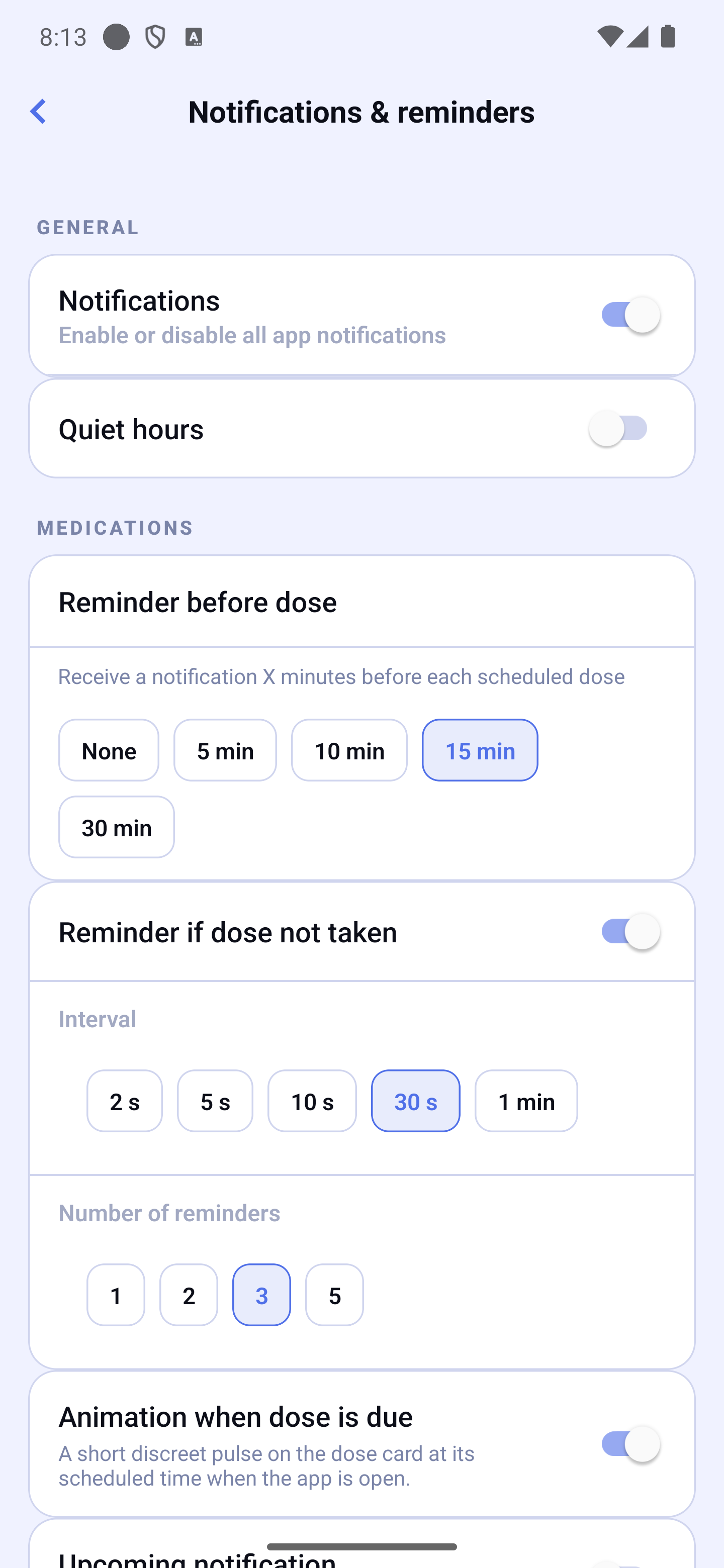
The page is organized in four sections: General (the Notifications switch, quiet hours), Medications (reminder before dose, reminder if dose not taken, upcoming notification, food restriction end), Mood (post-dose check-in, daily mood reminders, follow-ups after entry, reminder during a situation) and Dose reminders (the medications that ring even when silenced — see "Ring even when silenced").
Enabling Dose Reminders
In the General section, turn on the Notifications switch to activate all reminders. If you disable it, every sub-option is greyed out and no notification will be sent.
Alarms & reminders (Android)
On Android 12 and later, Android needs your permission for “Alarms & reminders”. Without it, your reminders work, but they may arrive late. With it, they can ring at the planned time.
To check or fix it: Settings → Notifications & reminders, General section, Alarms & reminders row. It reads “Allowed: your reminders can ring on time.” or “Not allowed: your reminders may arrive late. Tap to allow it.” Tap the row: the Android page opens. Turn the switch on, then come back to HoraDose.
HoraDose also offers it right after you allow notifications, when you start using the app (you can choose “Later”), and with a banner on Home while the permission is missing. The banner's ✕ hides it until the next day.
Quiet Hours
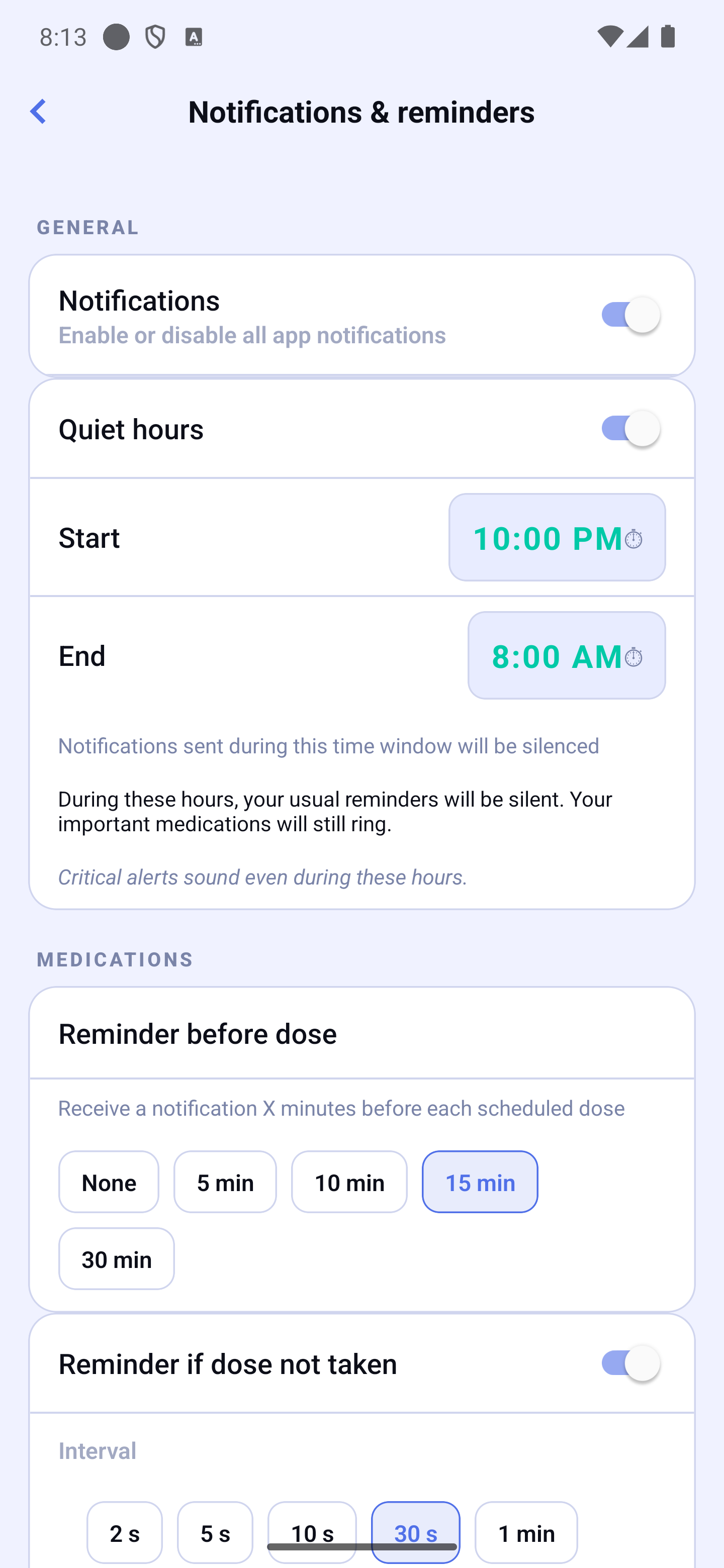
This is the only setting that mutes your reminders. It is off by default: until you turn it on, HoraDose reminds you of every dose, at any hour. Turn it on to define a time range (for example at night) during which your usual reminders stay silent.
When you turn it on, a reassuring message appears: "During these hours, your usual reminders will be silent. Your important medications will still ring." In other words, a medication marked as important still rings, even inside the quiet window.
Home screen warning
If quiet hours are on and one or more normal doses fall inside the window, a banner appears on the home screen. Tap it to see the list of affected doses (with their name and time).
Two situations are possible:
- The dose itself won't ring — an orange banner "🔕 Your … reminders won't ring". No audible reminder will alert you for this dose. In the list, you can mark a dose as important (it will then always ring, even during quiet hours) or edit your quiet hours.
- Only the reminder sent before the dose won't ring — a neutral, quieter banner. The dose itself still rings normally at its scheduled time, so you'll be alerted. To also get that earlier reminder, edit your quiet hours (marking the dose important doesn't bring it back).
Doses already marked important do not appear there — they ring regardless.
Early Reminders
In the Medications section, pick how many minutes before the dose you want the reminder (None, 5, 10, 15, or 30 min).
Repeat Reminders
Enable Reminder if dose not taken in the Medications section. As long as the dose is not confirmed, HoraDose reminds you of it in two ways:
- Right after the time — a few close reminders. You choose the interval and the number of reminders (1, 2, 3, or 5).
- 5, 15 and 30 minutes after the time — a reminder “Medication name — 2:00 PM dose not confirmed”. Tap it to confirm the dose or skip it. Each reminder has the same level as the dose reminder: if the medication rings even when silenced, so do these reminders. After 30 minutes there are no more reminders: the dose shows as late in the app.
As soon as you confirm or skip the dose, on the phone or on the watch, the reminders stop and those already shown disappear. If Hide medication name on lock screen is on, the reminder shows “Medication” instead of the name. Doses set to “Once during the day” do not get these reminders: they have no set time.
On iPhone, dose reminders at their time are Time Sensitive notifications: they show even during a Focus (for example Do Not Disturb or Work). You can turn this off in Settings → Notifications → HoraDose → Time Sensitive Notifications. The reminder sent before the time stays an ordinary reminder.
How far ahead are your reminders scheduled?
HoraDose schedules your reminders several days ahead directly on the device, so they keep firing even without a connection. The actual span depends on how many doses you take per day: a light schedule covers about two weeks, a heavy one a little less.
“Your reminders could not be updated”
Every time you change a schedule setting — a meal time, travel mode, the time zone, the notifications switch — HoraDose reschedules your reminders so they follow the new setting. If that rescheduling fails, an orange box appears at the top of the screen: “Your reminders could not be updated. Your settings are saved. Your reminders may still follow the previous times.”, with a Try again button.
- Your setting is saved — there is nothing to enter again.
- It is the reminders that did not follow: they may still ring at the previous times.
- Tap Try again to run the update right away.
Animation when dose is due
Enable Animation when dose is due in the Medications section to display a short discreet pulse on the dose card at its exact scheduled time, along with a light haptic, while the app is open. The animation stops as soon as you confirm, skip, or snooze the dose. No signal is played in the background — your standard notifications remain the main alert channel. This setting is independent from the equivalent Apple Watch toggle.
Mood reminders
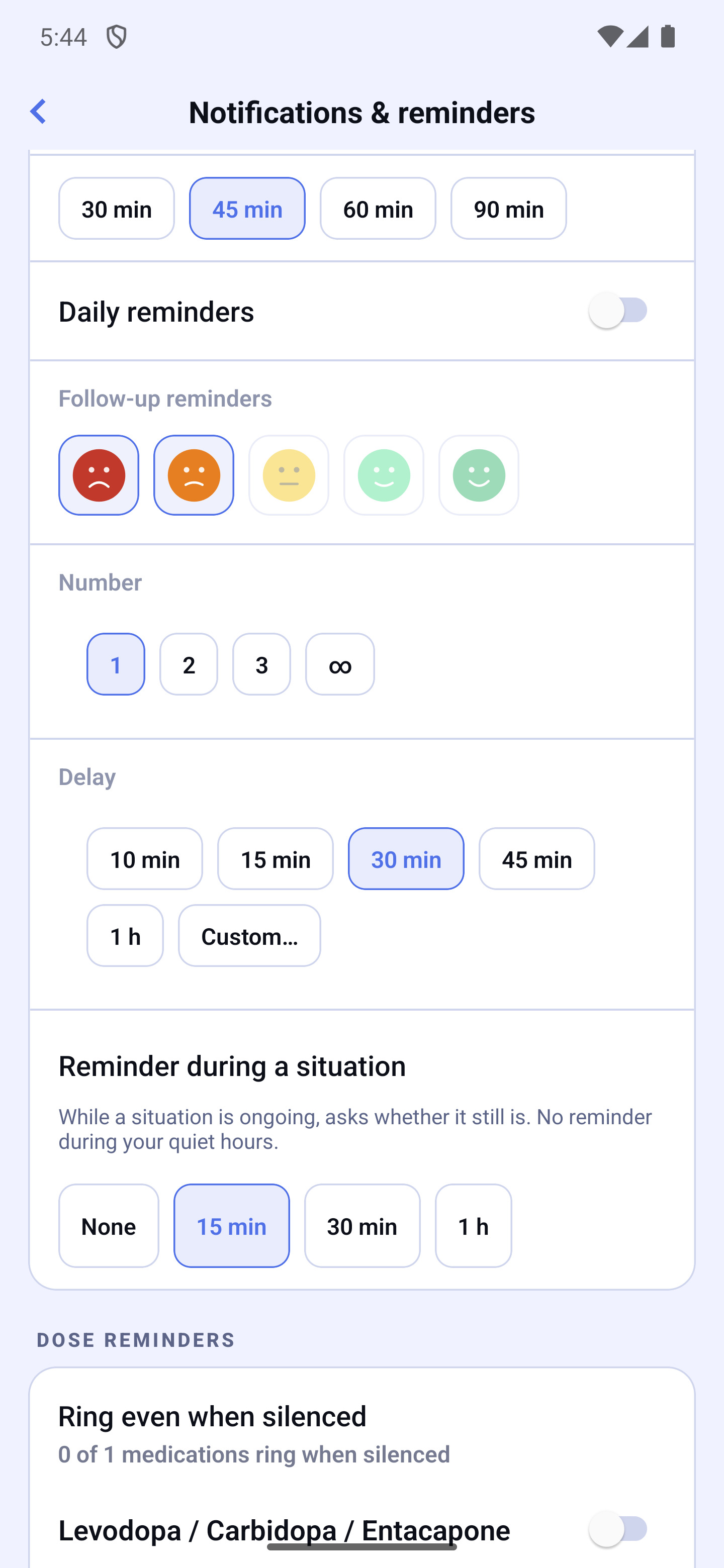
In the Mood section, enable Post-dose check-in for a mood entry after each dose, and Daily reminders for fixed-time mood reminders (up to 3 slots per day, with a 3-day pause button). Tapping a mood notification opens the "How are you feeling?" sheet on the home screen.
The same section offers "Reminder during a situation": None (default), 15 min, 30 min or 1 h. While a situation is ongoing, HoraDose sends you an "Ongoing situation" notification — "Still ongoing?" — at each interval from the start of the situation, 12 times at most, never during your quiet hours. It contains neither the name of the situation nor any symptom, adds no badge to the icon and has no button; tapping it opens the home screen with the "Still ongoing?" card, without waiting 15 minutes. The reminders stop as soon as the situation is ended (here, on the watch or on another device once the devices are up to date), deleted, or you choose "None"; a one-time entry never triggers one. If the app is open when one is due, no banner appears: the card shows directly.
Not Receiving Notifications?
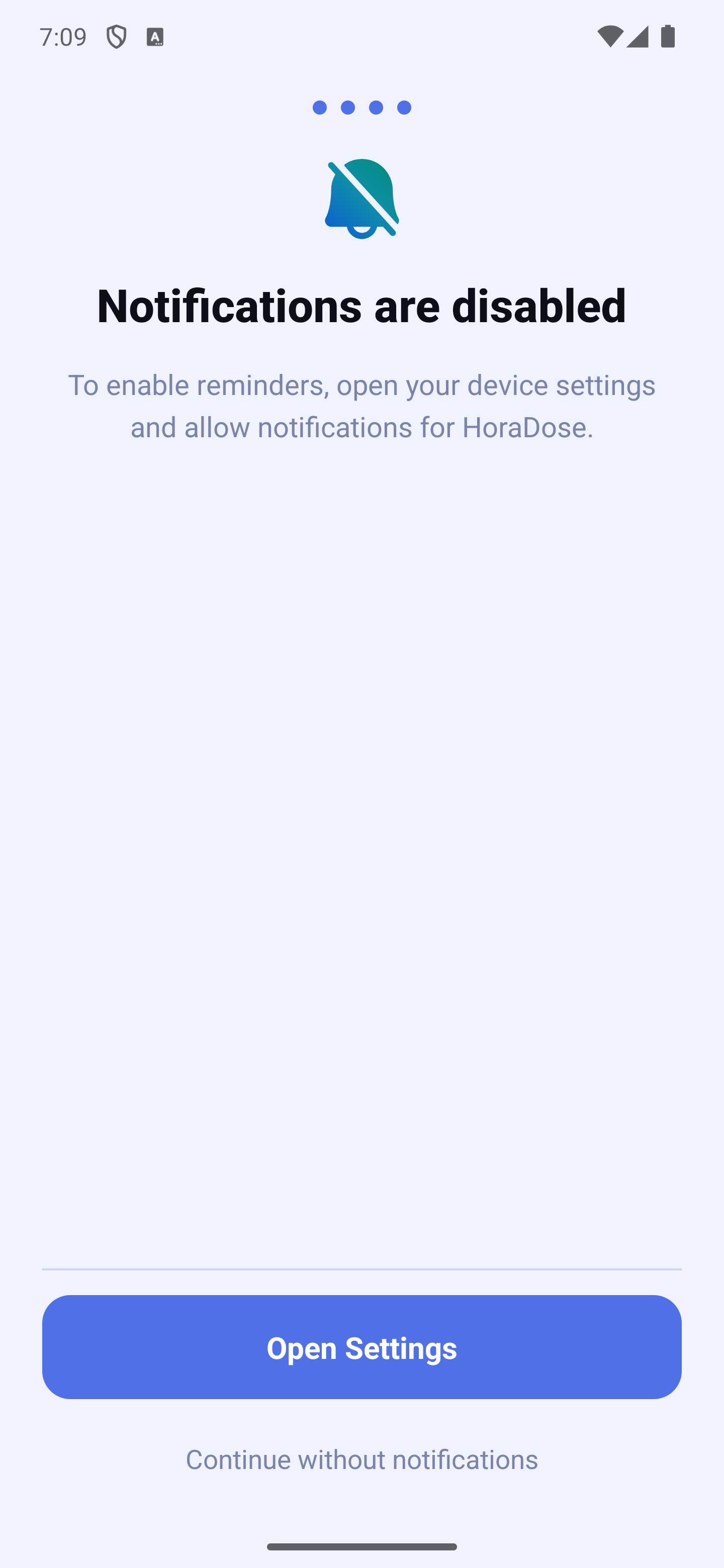
- Check that notifications are authorized in Settings (iOS) or Settings (Android) → HoraDose.
- Open Settings → Notifications & reminders and check that the Notifications switch is on.
- Check that the current time is not within your quiet hours.
- On Android, if your reminders arrive late: check the Alarms & reminders row (see above).