
My Contacts
Address book of medical, pharmacy, family and emergency contacts
My contacts
The contact directory gathers in one place the people who matter for your health: doctors, pharmacy, paramedical professionals, emergency contacts, family and friends.
Where to find it
Tap 🕐 → Contacts on Home.
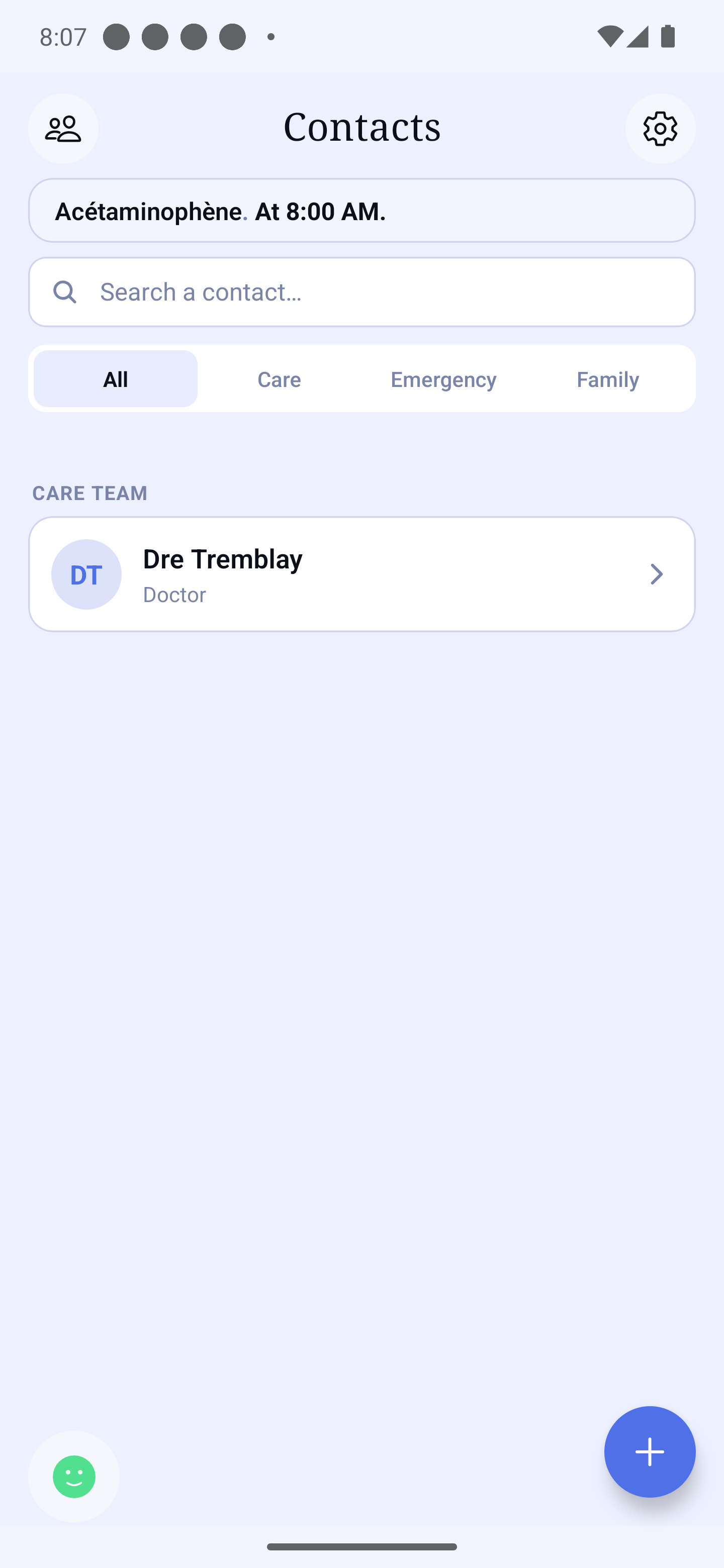
At the top: Search a contact… and filters — All, Care, Emergency, Family. Contacts are grouped by heading (for example "Care team").
Adding a contact
Tap the "Add a contact" button at the bottom right: the New contact form opens.
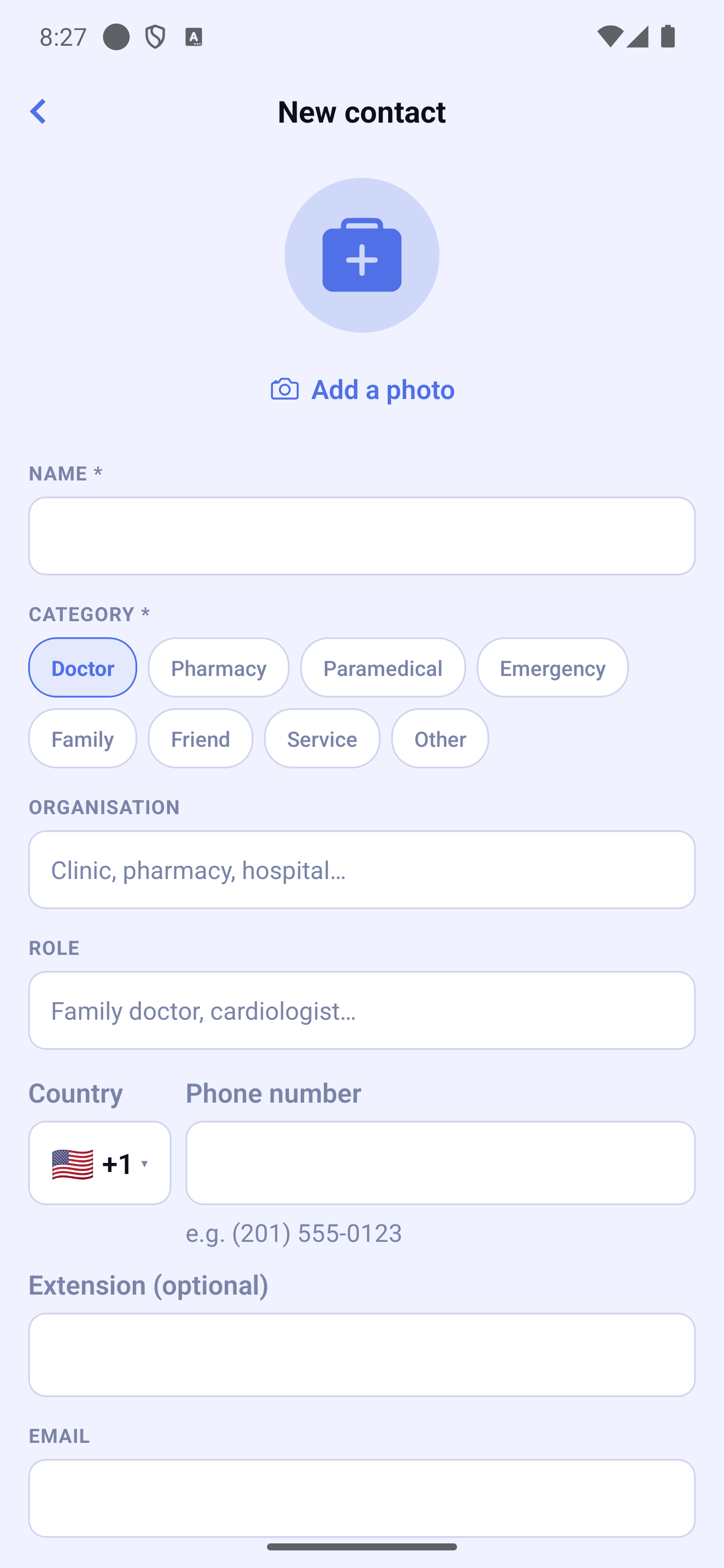
The fields
- Photo (optional) — otherwise, the initials are shown.
- Name (required).
- Category (required) — Doctor, Pharmacy, Paramedical, Emergency, Family, Friend, Service or Other.
- Organisation (clinic, pharmacy, hospital…) and Role (family doctor, cardiologist…).
- Phone number — a small flag and your country code are already set on the left of the field; tap the flag to choose another country. An Extension (optional) field adds a clinic's extension.
- Email, Address and Notes (parking, instructions…).
Tap "Save" at the bottom of the form.
A contact's page
Tap a contact in the list to open its page.
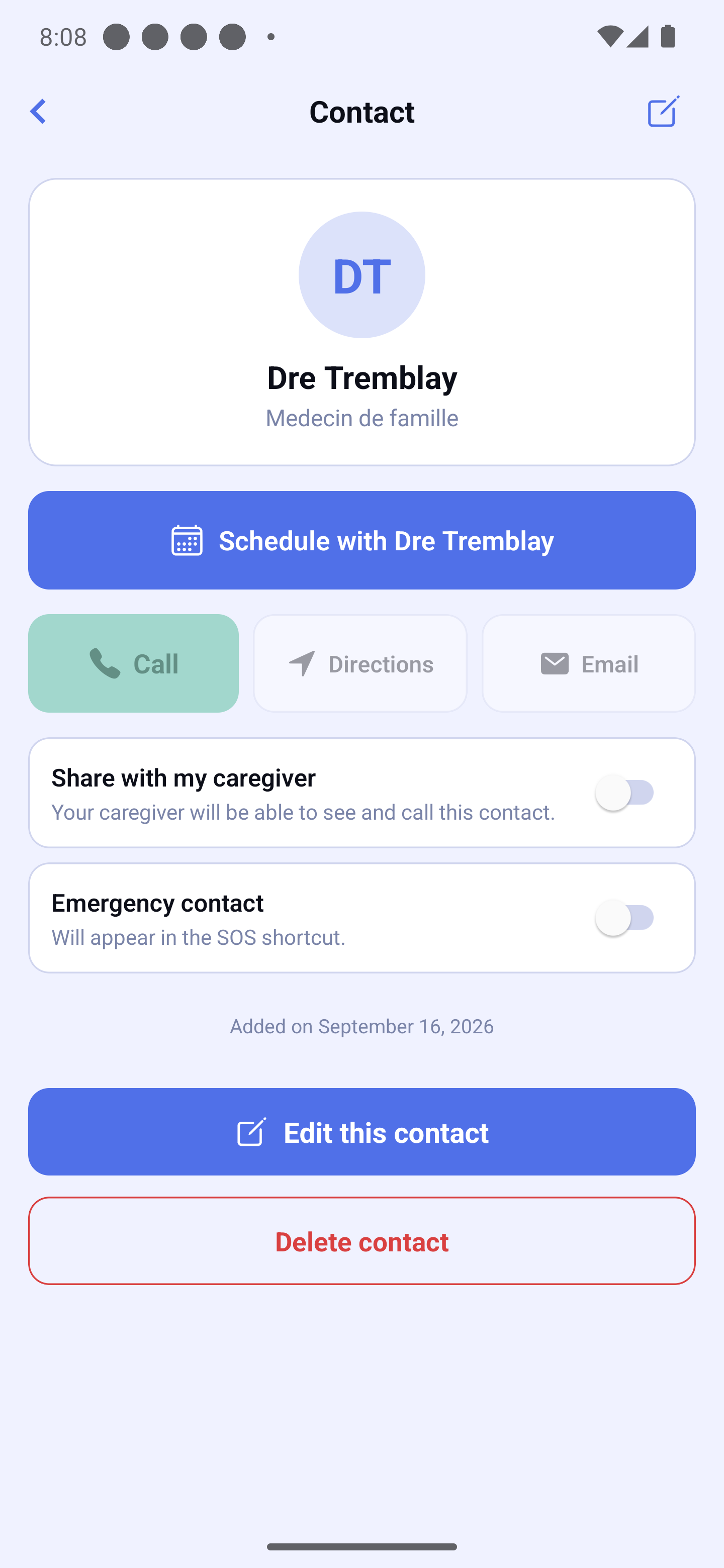
- "Schedule with …" — opens a new appointment already linked to this contact.
- Call — dials the number (the extension, if any, is shown in full under the number). With no number saved, the button says so.
- Directions — opens the address in your maps app.
- Email — writes to the saved address.
- "Share with my caregiver" — if a loved one supports you, they will be able to see and call this contact.
Tap Edit at the top right to change its details, or to delete it.
Privacy
No contact is shared without your explicit agreement, contact by contact: sharing can be withdrawn at any time, and a caregiver has no way to write into your directory without a proposal you approve.