
Ensemble: supporting a loved one
Support a loved one from afar, privately, or be looked out for
What is Ensemble?
Ensemble lets you support a loved one from afar: you see whether their medication is up to date for the day, and you're notified if they seem to miss a dose. All of this privately — no one else, not even us, can see their health information.
HoraDose requires no account and no password for Ensemble: the link between two people is created by simply scanning or entering a code.
Two roles
- The person who looks out (often an adult child) — sees their loved one's medication status and receives alerts. This is the person who subscribes to Ensemble.
- The person being supported — decides who can follow them and what each one sees. For them, it's always free.
One person can be both at once: supporting a parent while being supported by another loved one.
The Ensemble view
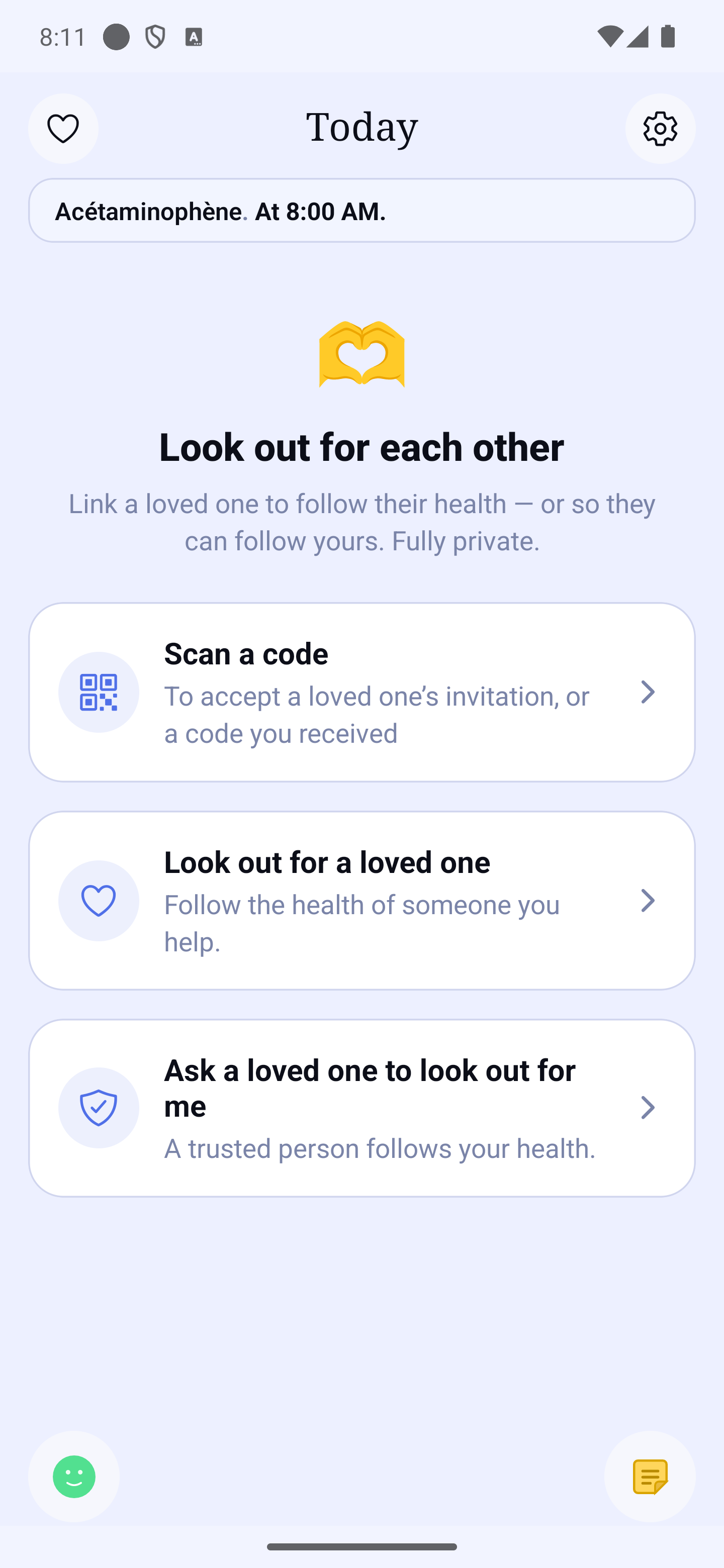
Tap 🕐 → Ensemble on Home. With no link yet, the view offers three ways in: "Scan a code" (accept a loved one's invitation or a code you received), "Support a loved one" and "Ask a loved one to support me". Once a link is active, it adapts to your role:
- You're supporting — the list of loved ones you follow, with their status for the day: "Up to date today" (every dose of the day confirmed), "Day in progress" (the day is not over yet), "Older information" (nothing new received for several hours), or "No recent activity", plus the day's dose counts (for example "2 doses taken of 3 planned", with green dots for taken doses). If your loved one flagged important medications, a second line says how many of those doses are confirmed ("including 1 of 2 for important medications") — it is a subset of the first count, not a count to add up. If the information is not recent, the tile says so ("received 4 h ago"). Each tile has a Video call button, a Call button (if a number has been shared) and a Message button.
- Looking out for you — the list of people supporting you, with what each one sees on your side, and a Message button.
Add a loved one starts a new link, and Manage who supports me opens the list of people following you.
A loved one's detail screen
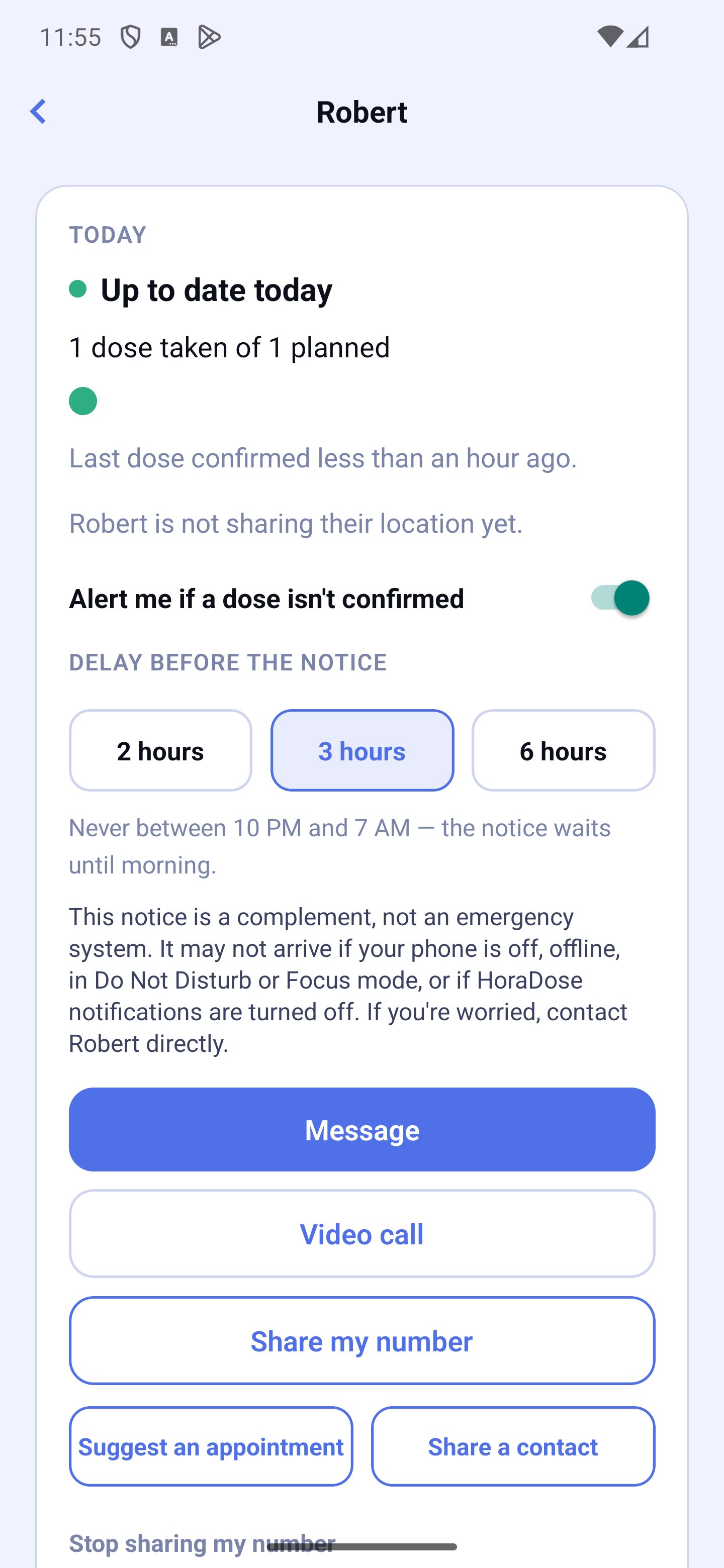
Tap a loved one's tile to open their detail screen: the day's status, the dose counts ("2 doses taken of 3 planned", followed when relevant by "including 1 of 2 for important medications"), when the last dose was confirmed, and how fresh the information is (it updates when your loved one uses their app — so "no news" does not mean "doses not taken"). The Message, Call and Video call buttons are gathered there.
To respect your loved one's privacy, HoraDose only shares counts by default — never medication names or intake times. Only the person being supported can go further, by choosing remote help (see the "Remote help" section).
Where to manage it
Everything happens in the 🕐 → Ensemble view: inviting a loved one, Who supports you (through "Ask a loved one to support me"), and the people you've blocked.
Inviting a loved one and creating the link
Inviting works both ways: you can invite someone to support you, or invite someone to support. In every case, the person being supported gives their consent at the end.
Side by side (by QR code)
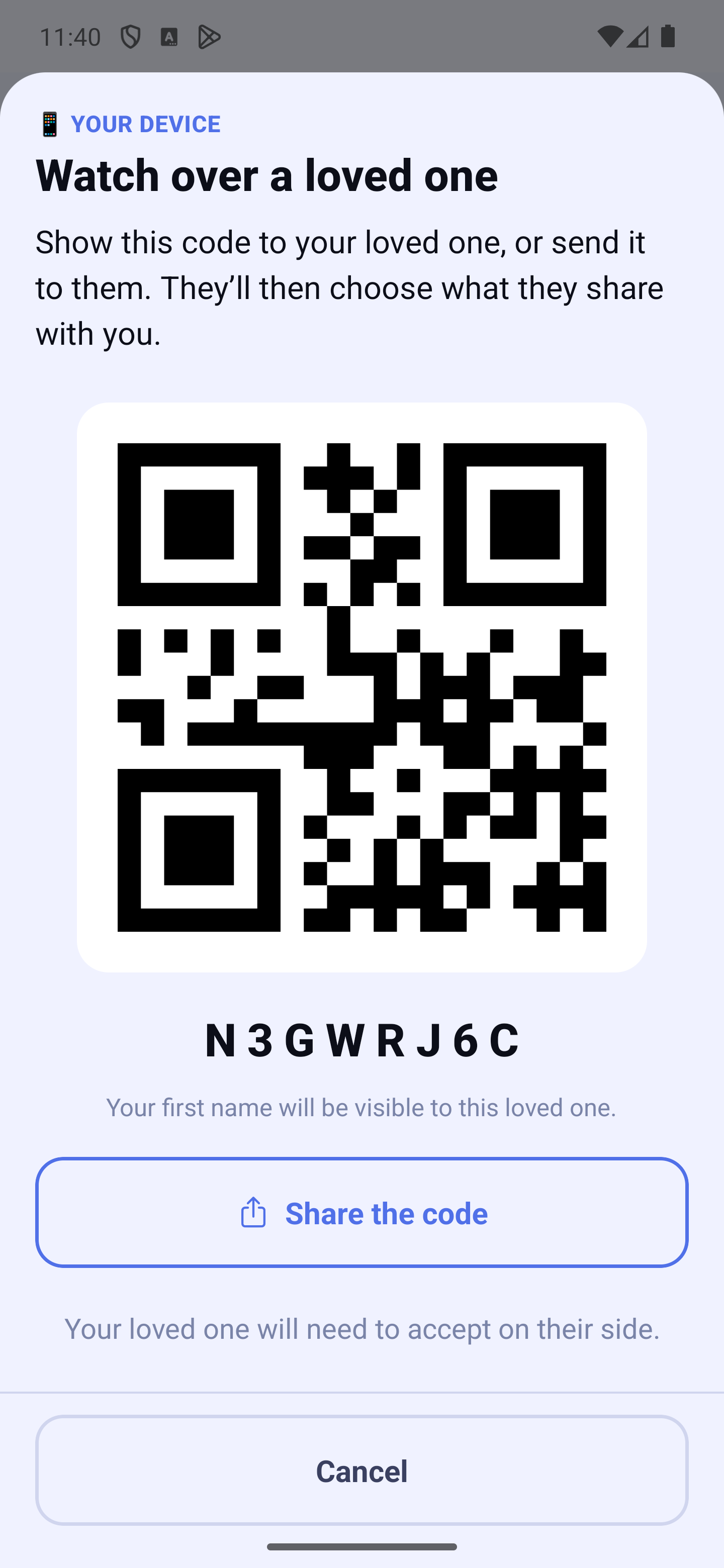
- The person who invites shows their code: 🕐 → Ensemble → "Support a loved one" or "Ask a loved one to support me".
- The other person opens 🕐 → Ensemble → "Scan a code" and scans it with the camera.
From afar (by code)
- The person who invites taps "Share the code" and sends it (by message, email, etc.). The same short code is also written under the QR code.
- The other person installs the app if needed and finishes the first launch, then opens 🕐 → Ensemble → "Scan a code" and types the code in the "Your code" field.
While adding: no going back
Adding a loved one works like a wizard: the steps follow each other and there is no back button — going back in the middle would leave a half-created link. At the bottom of every step you always find Cancel and, when it is your turn to act, Continue.
On the screens where you wait for your loved one (while they scan or type the code), there is no Continue button: the screen moves on by itself as soon as they respond.
Cancel asks for confirmation first, then stops the adding on both sides: no link is created, neither for you nor for your loved one. If the other person stops on their side, your phone tells you and leaves the wizard.
Checking it's really the right person
Adding a person runs as a step-by-step assistant: there is no back button — stepping back midway would leave a half-created link. Every step keeps Cancel at the bottom and, when it is your turn to act, Continue. On screens where you are waiting for the other person, there is no Continue button: the screen moves on by itself as soon as they answer.
Cancel asks for confirmation first, then stops the setup on both sides: no link is created, for either of you. If the other person stops on their side, your phone tells you and leaves the assistant.
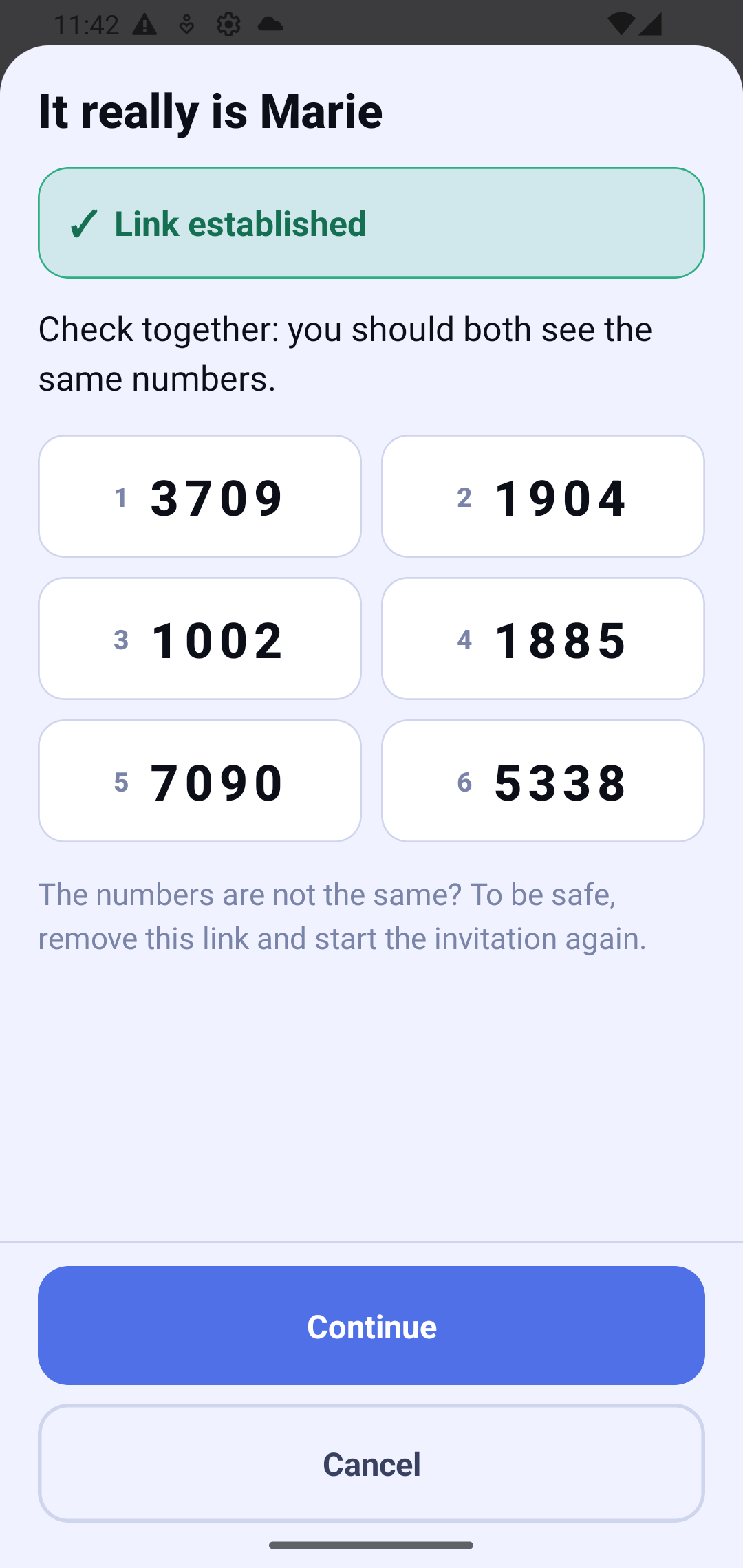
Right after the link, each phone shows a security number: 6 groups of 4 digits, in large characters, numbered 1 to 6 and laid out in two columns. The layout is exactly the same on both phones, whatever their screen size — so you can say "group 3" instead of hunting for a row. Check together: you should both see the same numbers. This step never blocks anything — tap Continue when you're done.
The numbers are not the same? To be safe, remove this link and start the invitation again.
If your loved one's security details change later (for example if they reinstalled the app or got a new phone), an attention message appears on their tile: "Something changed for [Name]". This is usually normal; to be safe, re-check together (scan their code again side by side, or compare the security number). The link stays usable; the message clears once you've re-checked.
The consent of the person being supported
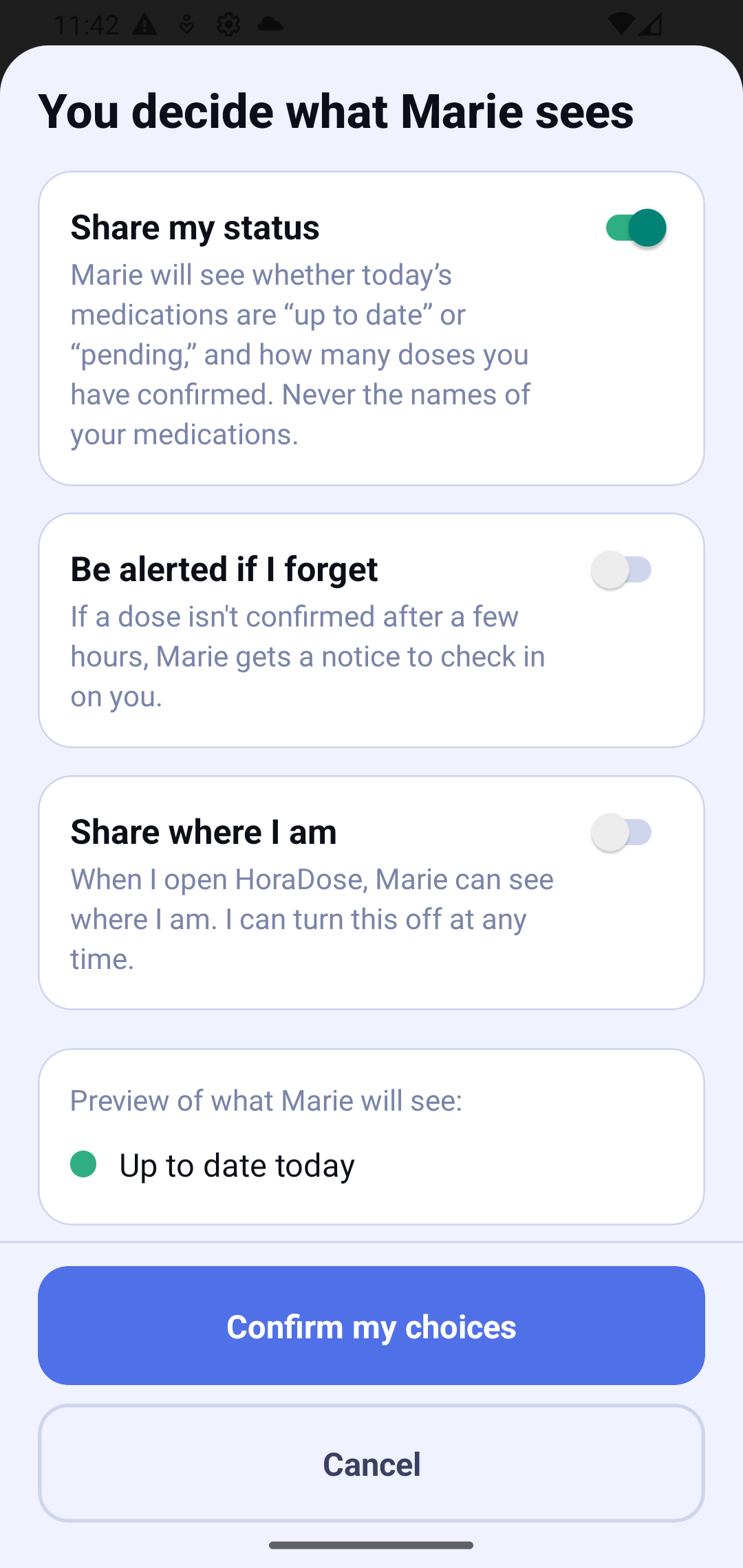
The last step happens on the phone of the person being supported. They choose, with three switches (all off at first):
- Share my status — the other person will see only whether the day's medication is "up to date" or "pending". Never the medication names.
- Be alerted if I forget — if a dose isn't confirmed after a few hours, the other person gets a notice to check in. It is a complement, not an emergency system: the notice may not arrive (phone off, offline, Do Not Disturb). If you're worried, call directly.
- Share where I am — when they open HoraDose, the other person can see where they are. They can turn it off at any time.
A preview shows exactly what the other person will see. They decide — nothing is shared without their consent.
Suggest an appointment to a loved one
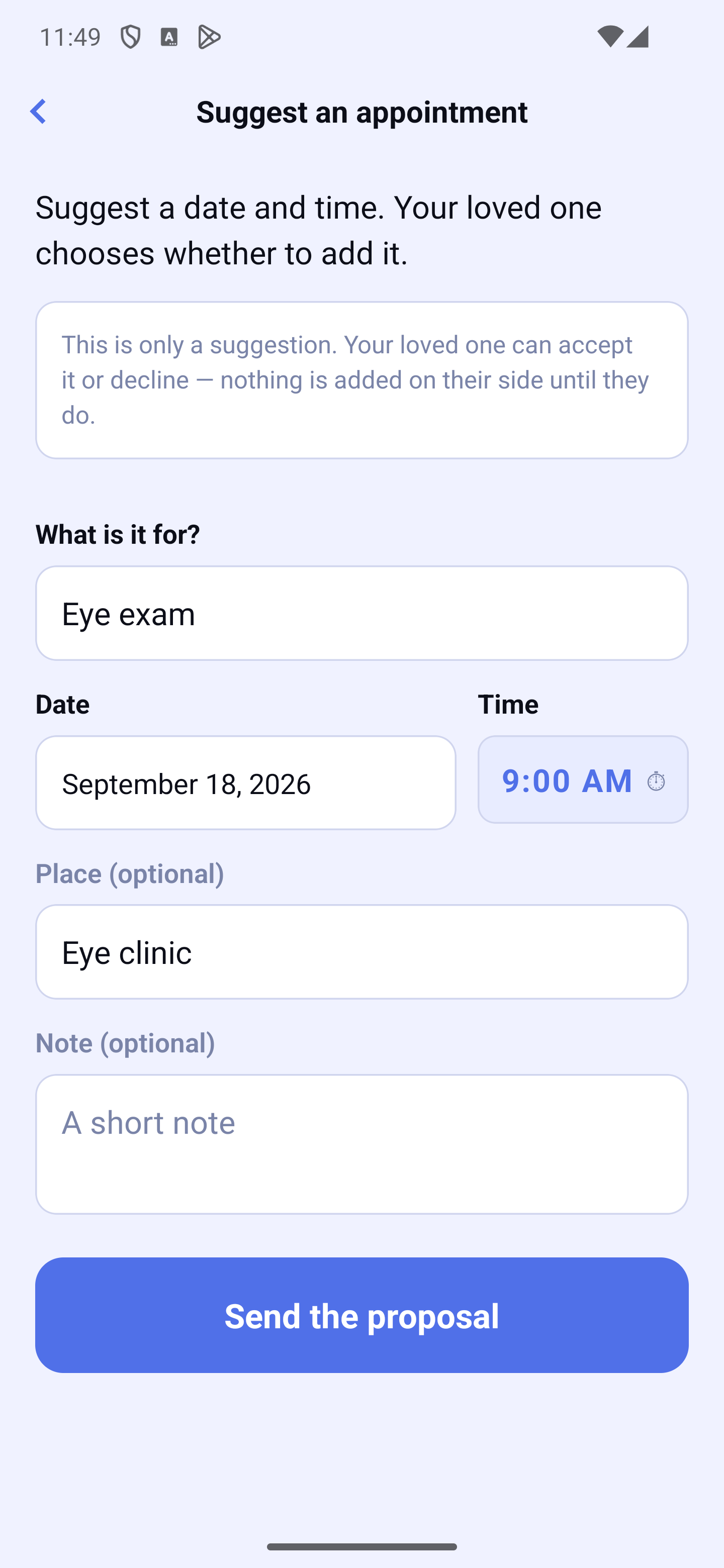
From a connected loved one's screen, you can suggest an appointment: you enter what it's for, a date and a time (with a picker — never typed), and optionally a place and a short note. It's only a suggestion: nothing is added on your loved one's side until they accept it. On their side, your loved one sees a "suggests an appointment" card with two equal-weight choices: Add to my appointments or Not now. If they accept, the appointment appears in their appointments.
The content of the proposal (the purpose, place, note) is end-to-end encrypted: it travels sealed and is readable only by your loved one.
Share a contact with a loved one
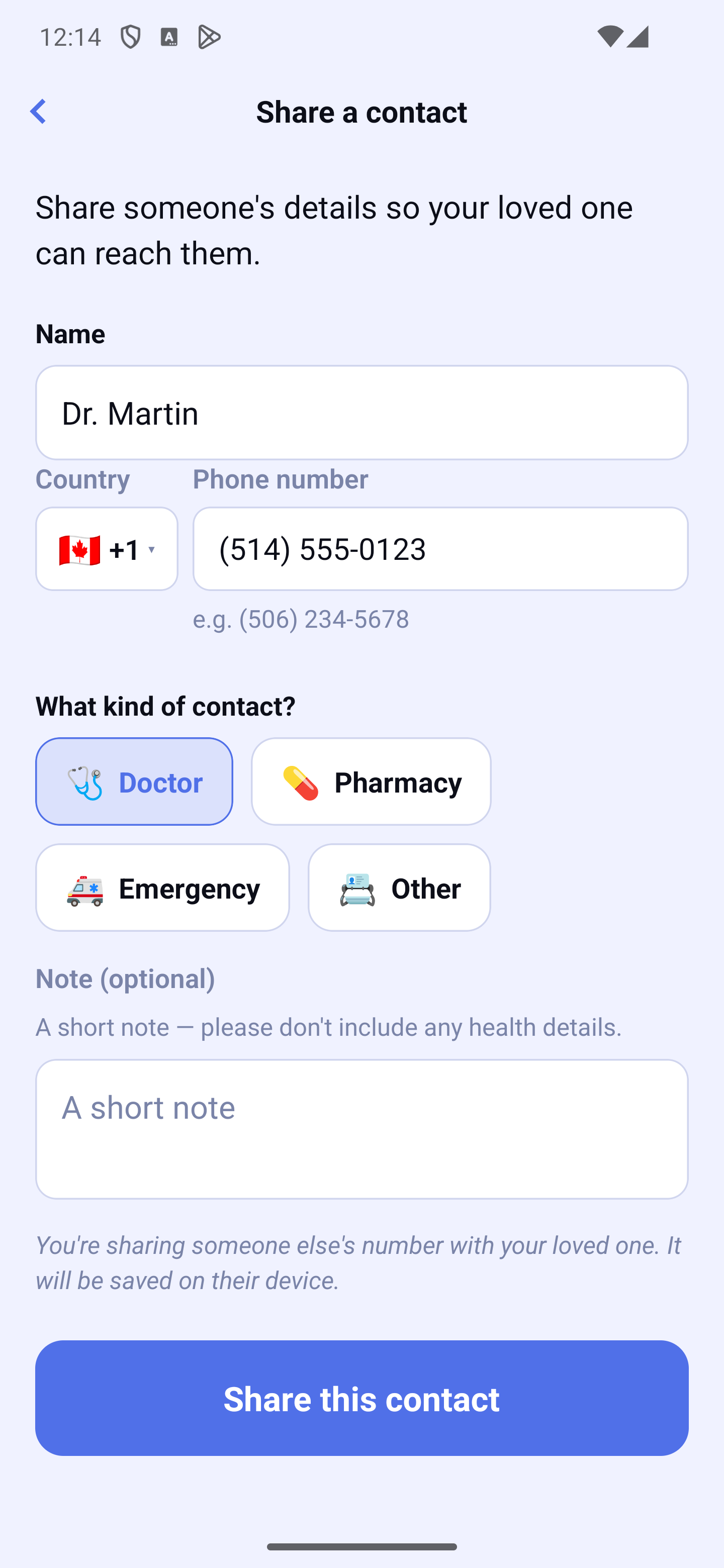
You can also share a contact with a connected loved one — for example a doctor, a pharmacy, an emergency number, or another contact. You enter the name, the number, pick the kind (doctor, pharmacy, emergency, other) and may add a short note (no health details). Your loved one sees a "shared a contact" card and chooses to Add to my contacts or Not now. Nothing is added on their side without their consent.
Like the appointment, the shared contact is end-to-end encrypted and readable only by your loved one.
Who supports you, and how to remove someone
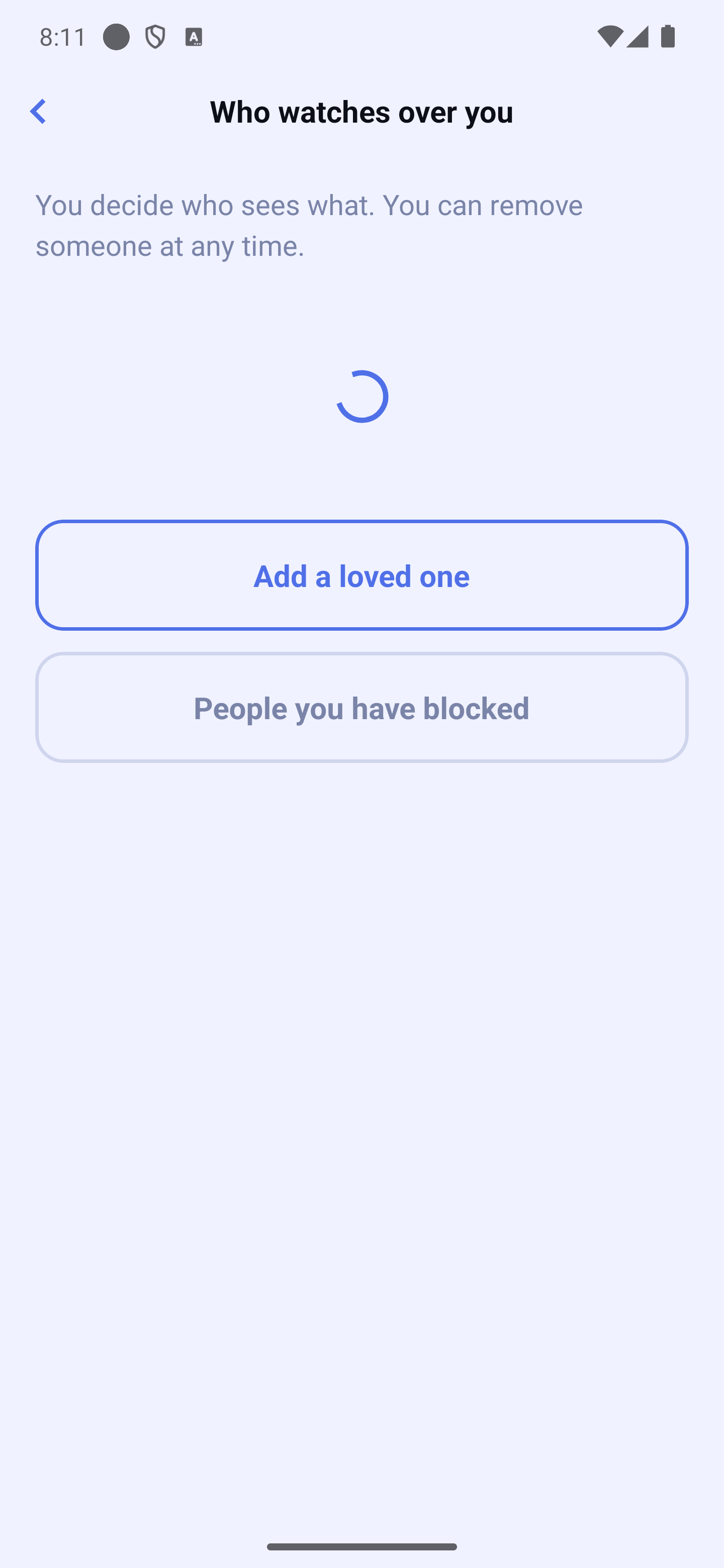
The Who supports you screen (in the 🕐 → Ensemble view, through "Ask a loved one to support me") lists each person following you and what they see ("Sees your status", "Receives an alert if you forget"). You stay in control:
Notices sent — under "Receives an alert if you forget", a "Notices sent" row opens the list, with date and time, of every notice the app sent to that person because a dose was not confirmed on time. That list stays on your phone. You can stop these notices at any time from the same card.
- Remove someone at any time, in a few taps. A confirmation reassures you: "You can re-invite them whenever you like."
- Block unwanted invitations: a blocked person can no longer send you an invitation. You can unblock them later from People you've blocked.
The Ensemble subscription
It's the person who looks out who subscribes to Ensemble. One subscription lets you support up to 3 loved ones. The person being supported never pays anything.
If you already care for 3 loved ones and want to add another, the app simply invites you to remove one first — your subscription stays the same.
When switching devices, open Settings → Subscription → Restore purchases: the subscription is tied to your Apple or Google account, with no password. To resume supporting a loved one, simply re-link with them.
Privacy
Your loved one's health information never leaves their phone in readable form. The person who looks out sees only a simple status ("up to date" / "pending"), chosen and authorized by their loved one — by default, never the detail of their medications, doses, or journal (unless they choose remote help, see the "Remote help" section). No one else, not even us, has access to it.
The notifications the watching person receives (for example "your loved one confirmed a dose") never name a medication on the lock screen: they simply invite you to open the app to see the authorized detail.
Repair the link with your caregiver
If you can no longer connect with your caregiver (for example after losing or changing your device), open your caregiver's screen (🕐 → Ensemble, then tap their name) and tap "Repair the link with my caregiver": the link is recreated. Afterwards, your caregiver will have to reconfirm it is really you, and any messages that had not yet reached you may be lost. Use this option only if the connection no longer works.