Steps, sleep, weight and workouts read from Apple Health or Health Connect (Premium)
What is it?
HoraDose can show in your journal the data your phone or watch already records: your steps, sleep, weight and workouts. On iPhone it comes from Apple Health; on Android, from Health Connect. Sessions recorded by your Apple Watch or Wear OS watch arrive automatically.
This data is shown as recorded, with no interpretation and no goals. HoraDose never changes it and nothing leaves your device. Available with the Premium plan.
Turning it on
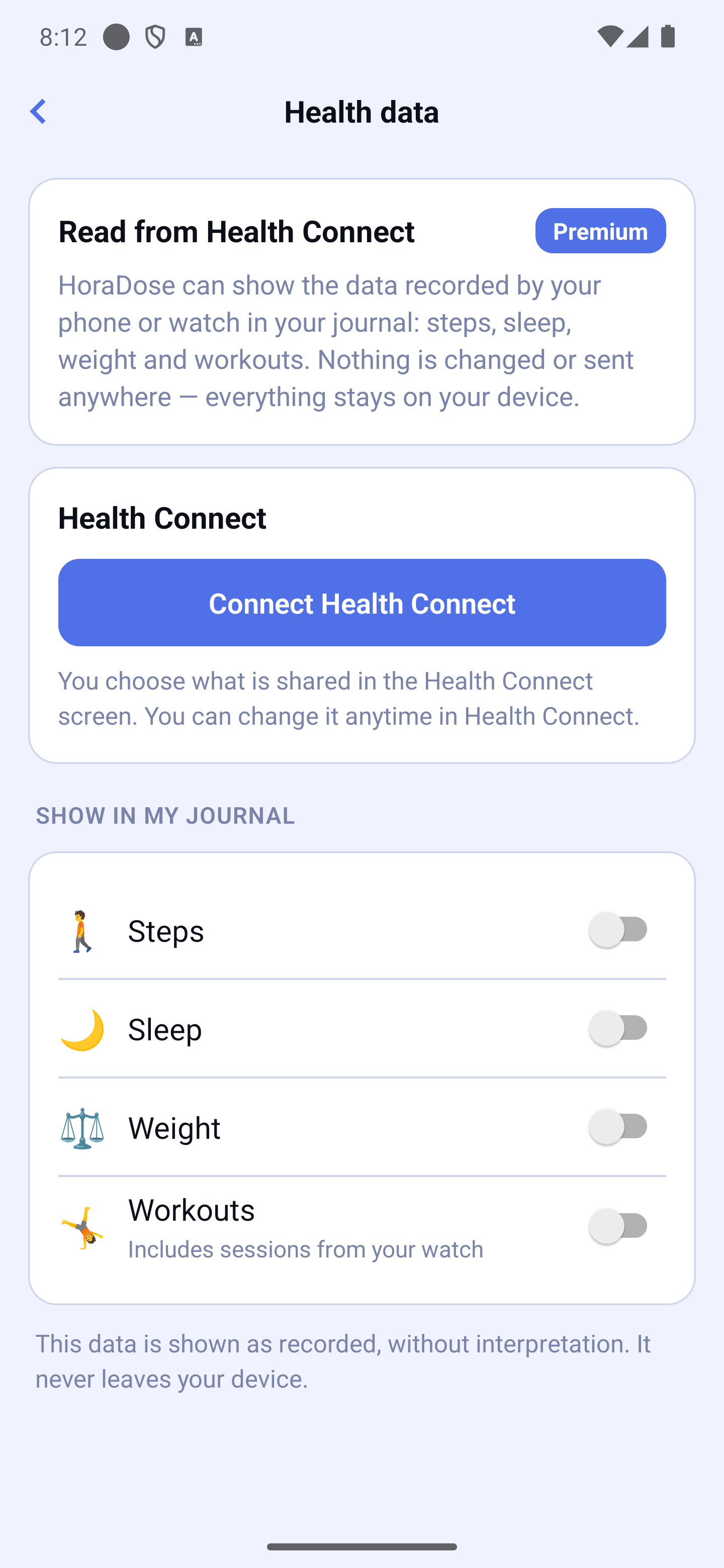
Settings → ME → Health data
Tap Connect Apple Health (or Health Connect). The system permission screen opens: you choose exactly what HoraDose may read.
Then turn on the switches for what to show in your journal: Steps, Sleep, Weight, Workouts. Everything starts off — nothing shows without your choice.
On Android 13 and older, the Health Connect app must be installed: a button takes you to the Play Store if needed.
To change what is shared later: on iPhone, Settings → Health → Data Access & Devices; on Android, the Health Connect app.
In your journal
Your workouts appear in the day's feed at their real time — for example "12:00 🚴 Cycling — 30 min". A small mention (⌚ watch, Apple Health…) shows where each entry you didn't type comes from.
A "My day" card at the top of the day sums up the day's steps (👣), sleep and weight, then the total for each type of workout: one line per type (for example "🚴 Cycling — 2 h 10 min" with "2 sessions" underneath, and "🧘 Yoga — 45 min"), the longest first. A session of an unknown type is named "Other activity". The day's feed keeps each session at its time. When a measure has no data for the day, its line stays whole and simply says "No data" on the right.
In the journal's Week or Month view, a "My week" or "My month" card opens the list. For the period it gives: the total steps and the average "per day, over N days" (only measured days count); the average sleep per night, "over N recorded nights" (never a total); the latest weight and its date ("on …"), with no change or trend; and, for workouts, one line per type with the total time and the number of sessions. A period with no data at all shows "No data for this period". Workouts you added by hand appear in the feed, not in this card. The current month stops at today.
Durations are written "45 min", "1 h", "2 h" or "2 h 10 min" (never "2 h 0 min"), in the cards as in My statistics.
Your watch sessions also count in My statistics (Exercise section) — a session you also logged by hand is never counted twice; "Includes sessions from your watch" appears under the total.
A day without data simply shows "No data for this day" — that's normal, never an invented zero.
In your reports
When exporting a report (PDF or CSV), a "My health data" checkbox appears if the integration is active. It starts unchecked for every report: your health data only goes into a document when you choose it, every time.
Health data screen: Apple Health connection card + Steps/Sleep/Weight/Workouts switches