
Back to the help summary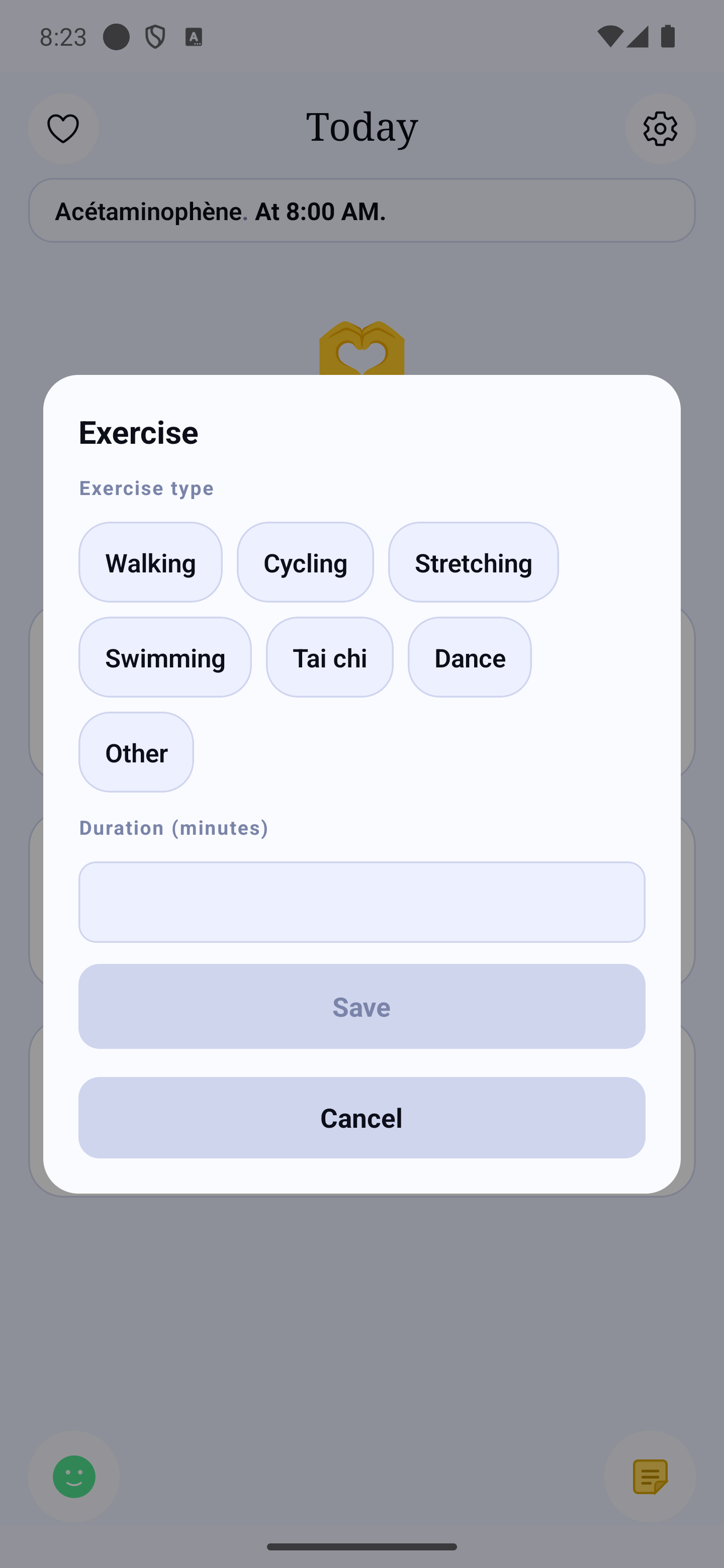
Choosing the type of activity and the duration in minutes
Physical Activity
Timer, exercise types, history
Recording an Exercise Session
Access: the + button at the bottom right of Home → Add an exercise
Recording a session
- On the home screen, tap the + button at the bottom right.
- Choose Add an exercise.
- Tap the type of activity: walking, cycling, stretching, swimming, tai chi, dancing, or Other to name it yourself.
- Enter the duration in minutes.
- Tap Save.
A session is recorded afterwards, once it is over: there is no stopwatch to start or stop, and nothing runs in the background while you walk.
Finding your sessions
Your sessions appear in the Journal, at their time, and your activity minutes in Statistics → Exercise.